
Call log backup and restore
Call Log Backup and Restore by Field Team Tracking
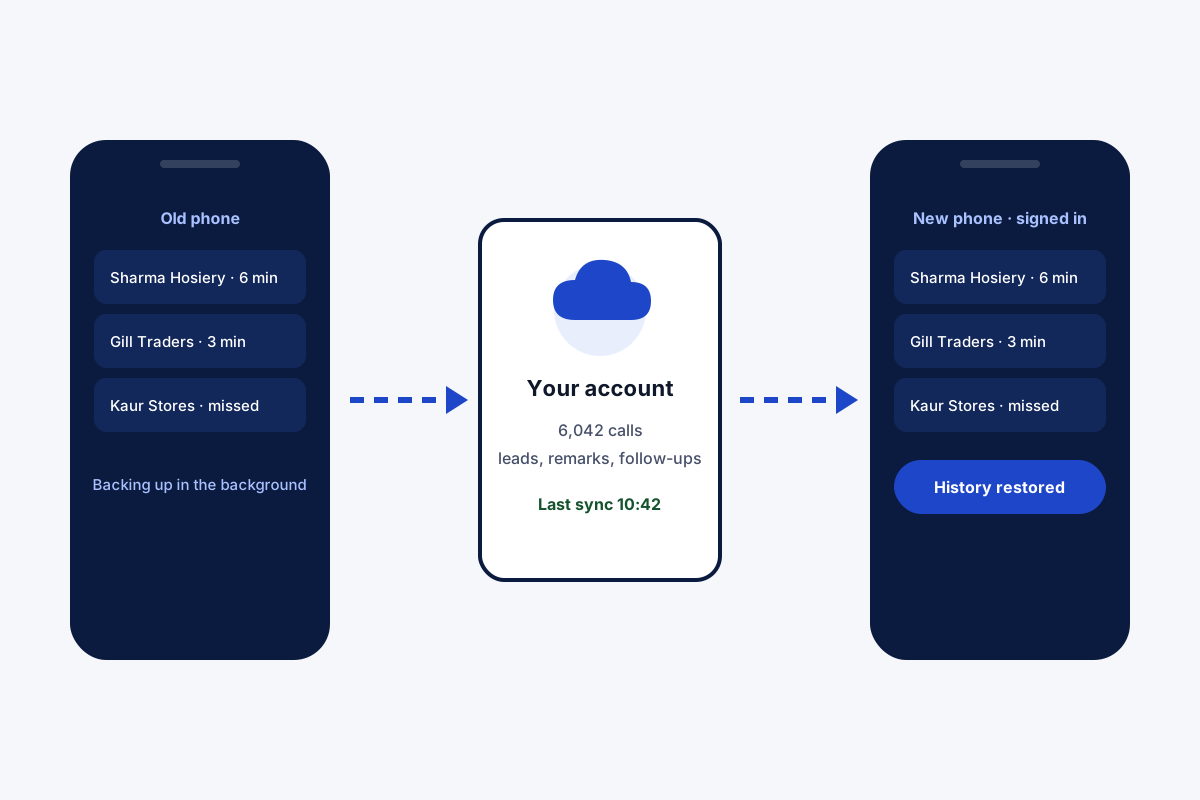
Call log backup and restore means keeping a copy of your phone's call history somewhere safe, then putting it back on a new or reset phone. Field Team Tracking quietly sends each call to your account, along with leads and remarks, and returns them when you sign in again.
- Background copy, plus a full sync when the app opens
- Choose which SIM cards are copied
- A sync log with a button to send again
What is call log backup and restore?
It is the process of saving a phone's list of calls to another place, such as a cloud account, so the history can be brought back after a phone change or reset.
In Field Team Tracking the copy runs on its own and includes the leads, statuses and remarks tied to those calls.
- Only calls copied before a loss can come back.
- Personal calls can be kept out by rule.
- Android only; iPhone does not share its call log.
Call log backup and restore in four steps
- Install and sign in. Install the app on the Android phone, sign in, and allow access to the call log.
- Choose what is copied. Pick which SIM cards back up, and optionally keep the copy to the branch's working time or to known customers.
- Check the sync log. Open the sync log to see what was copied and when; press send again if something failed.
- Restore on the new phone. On the replacement phone, install the app and sign in with the same account; the history comes back.
Call log backup and restore that runs by itself
Most people think about call log backup and restore only after a phone is lost. Field Team Tracking makes it automatic beforehand. Once the app is installed and signed in, every call travels to your account without you doing anything, and opening the app triggers a complete sync. The copy carries more than numbers and times: the lead each call belongs to, its status, remarks and follow-ups travel with it. You choose which SIM cards are included, and rules can keep the copy to working hours or to known customers. A sync log lists every run, with a button to try again, and a self-check fills gaps in either direction. On a replacement phone, signing in brings the history back. The limit is honest: calls deleted before the app copied them cannot be recovered.
Call log backup and restore benefits
Runs on its own
Background copy, full sync on opening.
Context included
Leads, statuses and remarks travel too.
SIM choice
Copy only the cards you pick.
Privacy rules
Work hours or known customers only.
Sync log
Every run listed, with a retry.
Easy restore
Sign in on the new phone.
Call log backup and restore compared with phone backups
A phone’s own backup may or may not include call history, depending on the make and settings, and it may not bring everything back on a different kind of phone. A backup inside a business app keeps the calls tied to customers and lets the owner see the team’s history too. Filtering and exporting saved calls is covered on the call history manager page, rules that keep personal calls out on the employee call tracking app page, and the calling side on the call management app page.
Call log backup and restore: what is saved
| Item | Backed up | Restored on a new phone |
|---|---|---|
| Calls (copied since install) | Yes | Yes |
| Leads, statuses and remarks | Yes | Yes |
| Follow-ups and clients | Yes | Yes |
| Templates and WhatsApp CRM history | Yes | Yes |
| Calls deleted before the app copied them | No | No |
Call log backup and restore limits
- Old calls. Nothing from before the app’s first copy can be recovered.
- iPhone. iPhones do not share call history with apps.
- SMS. Text messages are not part of the backup.
- Deletes. Whether deletes reach the account depends on admin permissions.
Call log backup and restore example: a wholesaler in Ludhiana
An invented wholesaler, with sample numbers. A hosiery wholesaler in Ludhiana takes most orders by phone. When his phone fell into a canal, years of retailer calls went with it, and none of those came back.
On his new phone he installed the app and set the copy to calls with leads and clients only. Eight months later he upgraded again, signed in, and the 6,000 or so customer calls backed up since the install were waiting on the new handset, remarks included.
Call log backup and restore FAQ
Which call log backup and restore app also saves customer notes?
Field Team Tracking does: calls go to your account with the leads, statuses and remarks linked to them, and return on a new phone.
What is Field Team Tracking?
Field Team Tracking is a calling and CRM app for Android whose account keeps a backup of calls, leads and follow-ups.
What does backup and restore cost with Field Team Tracking?
No extra charge: it comes with the seat, which is ₹1,908 per year in India, tax extra; abroad a quarter costs USD 12.
Can I recover call logs I deleted?
Only if they were copied to the account before you deleted them. Nothing can restore calls that were never backed up.
Can I see my whole call history?
The account keeps every call copied since the app was installed, and you can filter it by date range.
Can I get call history from two years ago?
Only if the app was backing up at that time. Older calls stay only as long as your phone kept them.
Are call logs permanently deleted?
On the phone, deleted entries are usually gone. A copy in the account stays unless an admin allows deletes to sync.
Does the backup include notes and leads?
Yes. The copy also holds lead details and stages, remarks, callbacks, client records, message templates and WhatsApp CRM chats.
Can I keep personal calls out?
Yes. Back up only calls in the branch's working hours, only calls with leads and clients, or leave a SIM out.
What if a sync fails?
The sync log shows it, and a button sends it again; a built-in check also fills gaps in either direction.
Does it work on iPhone?
No. iPhones keep call history away from apps; use Android for this.
See your team's whole day on one map
3-day trial with every feature. ₹159 per user per month on the yearly plan (₹1,908 a year), or ₹249 per user per month for 3 months; outside India $29 per user per year or $12 for 3 months. Prices are per user, exclusive of taxes.