
Tracking field employees, step by step
How to Track Field Employees by Field Team Tracking
Learning how to track field employees well means covering three things in order: when they start, where work takes them, and what gets done, all with their knowledge. Field Team Tracking handles each of those on the employee's own phone, with the office reading the results on the web.
- Start: selfie punch with a branch rule
- Movement: duty-only route after consent
- Work: calls and remarks on leads and clients
How do you track field employees?
Set clear rules, tell staff in writing, use a phone app for attendance and duty-time location, and review the records weekly rather than watching live.
In Field Team Tracking those steps map to branch rules, a consent screen, selfie punches, route views and reports.
- Tell staff before you track them.
- Track duty time only.
- Review weekly patterns, not single moments.
How to track field employees in five steps
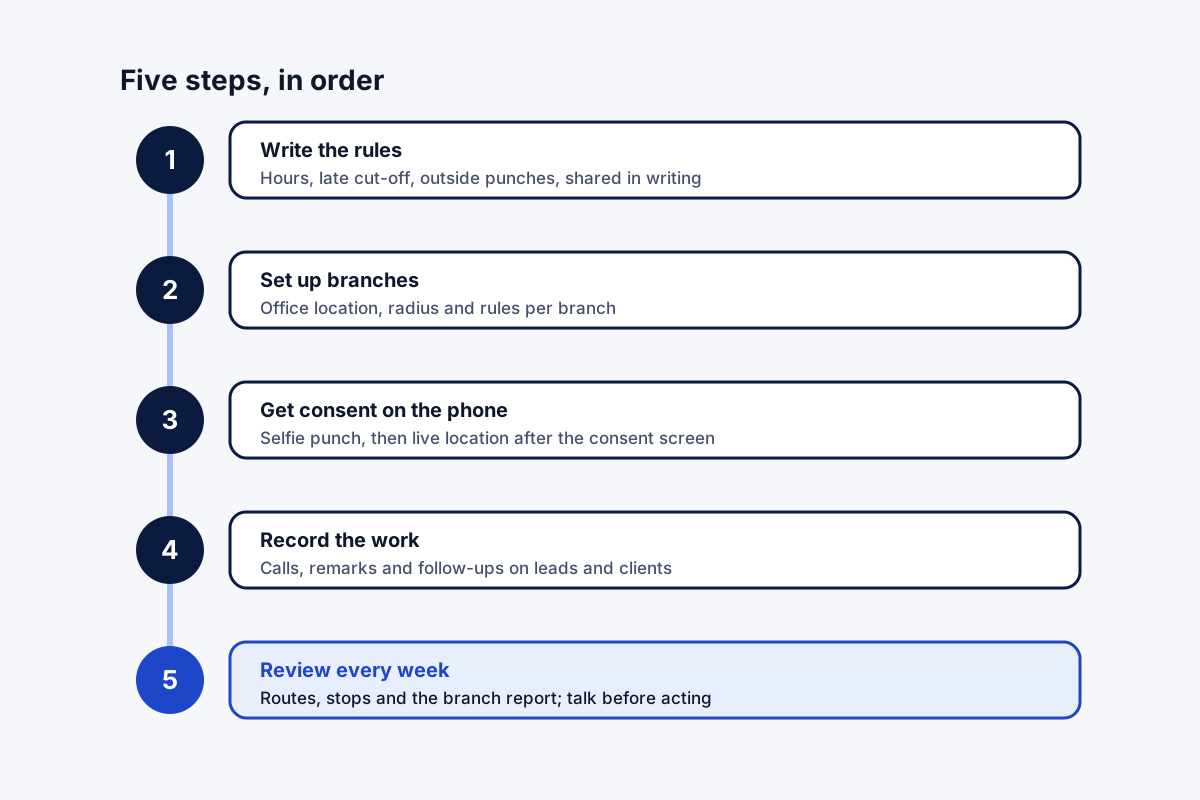
- Write the rules. Decide working hours, the late cut-off and whether field staff may punch away from the office, then share them in writing.
- Set up branches. Enter those rules per branch in the app, with the office location and geofence radius.
- Get consent on the phone. Each employee installs the app, punches with a live selfie and switches on live location after the consent screen.
- Record the work. Staff save calls, lead remarks and follow-ups as they go; the visit location is added to remarks automatically.
- Review every week. Read routes, stops and the branch report on the web, look for patterns, and talk to staff before acting.
How to track field employees without micromanaging
Knowing how to track field employees is mostly about sequence and openness. Rules come first, in writing, so nobody is surprised. The app comes second: in Field Team Tracking, branch rules decide where punches count, each punch needs a live selfie, and live location covers only the hours between the two punches, after the employee agrees. The work record comes third: calls, visit remarks and follow-ups saved on customers. The review comes last, weekly, looking for patterns. A buying checklist is on the field employee tracking app page, the employee’s own screens on the field staff tracking app page, and consent in detail in how to track employee location.
How to track field employees FAQ
How can I track field employees with Field Team Tracking?
Set branch rules, ask staff to punch with a selfie and agree to duty-time location, then review routes and reports on the web.
What is Field Team Tracking?
Field Team Tracking is an app for attendance, duty routes, calling and leads, made for staff who work away from a desk.
What is the price of Field Team Tracking per field employee?
Per employee, the Indian yearly plan is ₹1,908 (about ₹159 a month); abroad, a quarter is USD 12. Prices are exclusive of taxes.
How can I track my employees' time in the field?
Use punch times for hours and the route view for time at stops, idle time and breaks.
Is it legal to track field employees?
It is usually permitted during work hours once staff have been told, though each country sets its own rules; take this as a general pointer and confirm locally.
See your team's whole day on one map
3-day trial with every feature. ₹159 per user per month on the yearly plan (₹1,908 a year), or ₹249 per user per month for 3 months; outside India $29 per user per year or $12 for 3 months. Prices are per user, exclusive of taxes.